Turning Sketches into Fully Animated Characters
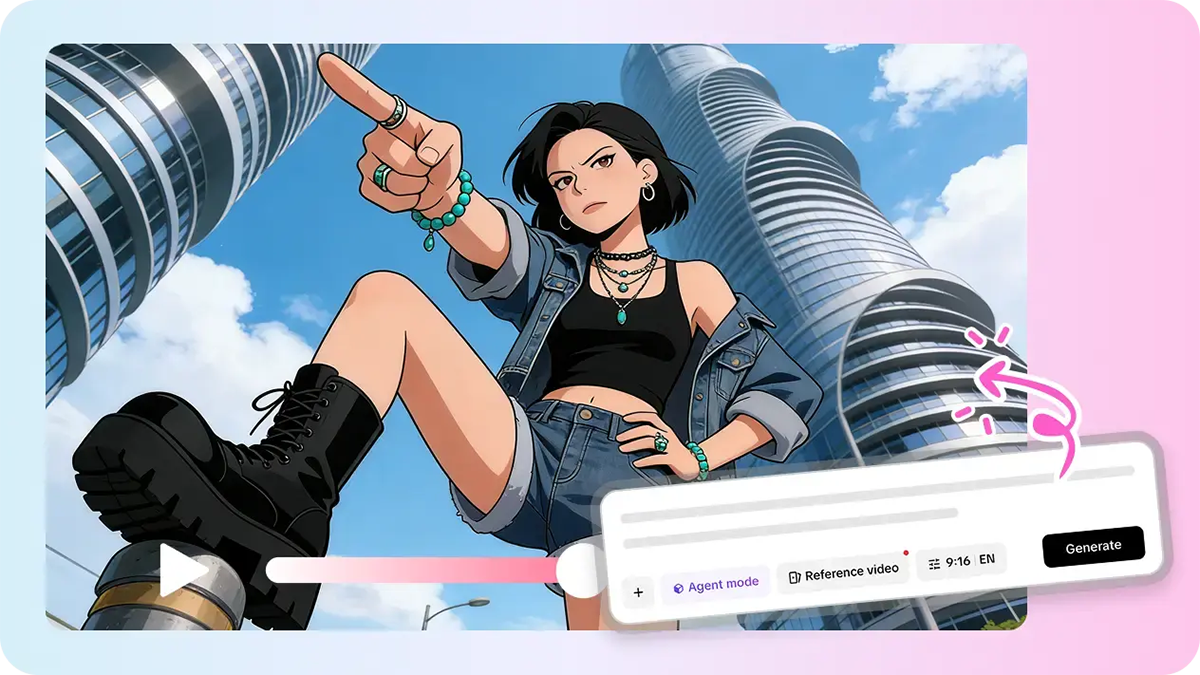
CHARACTER BIBLE — ENTRY 001: She's existed in my sketchbook for two years and has never once moved. Every artist has a sketch that feels more alive on paper than the medium can actually show — a confident pose, a distinct personality, a character just waiting for the right moment to finally do something. Pippit's Seedance 2.5 model can give that sketch its first real motion, turning a rough drawing into a short animated sequence without any rigging or frame-by-frame animation work.
Since this is essentially about documenting a character coming to life, let's format it like an actual character bible entry.
Entry 001: The sketch itself
A strong starting sketch usually already implies personality — a tilted head, a confident stance, an expressive face. The clearer that implied personality is on paper, the easier it is for an animated version to feel like a genuine extension of the character rather than something new entirely.
Reference sheet: What makes a sketch animate well
- A clean, clear line drawing with the character's full pose visible.
- A pose that already suggests some directionality or attitude.
- Multiple reference sketches from different angles, if available, for consistency.
- Enough detail in clothing, hair, and accessories to guide realistic movement.
Entry 002: Bringing the character to motion
Step 1: Upload your sketch and write a time-stamped prompt
In Pippit's Video Generator, choose Seedance 2.5 and use the sketch as your reference. Write a prompt with time markers for the character’s initial action.
Example: Create an animation video for 12 seconds of this character description. 0-4 seconds: She stands in a confident posture with arms crossed, wearing a small smile. 5-8 seconds: She shifts her balance and flicks her hair confidently. 9-12 seconds: End with a step forward and a direct, knowing gaze at the camera.
Step 2: Fine-tune the timing according to the mood
See if the created animation is in accordance with the initial character sketch — does the movement feel like something this particular character would do, or is it more of a generic one? Modify the prompt to make sure the movement highlights some of the character’s specific traits.
Step 3: Create a longer animation, then export
If the character requires a longer introductory animation, use the extension function in order to create another action without having to start from scratch. Export the video in the desired resolution.
Design notes: What makes Seedance 2.5 suited to character work
Creativity transfer for art style preservation
Creativity transfer can replicate a sketch's specific linework and shading style, rather than defaulting to a generic animated look, keeping the motion visually true to the artist's original hand.
Fixed duplication issues for reliable results
Previously known "twin" duplication problems have been addressed, keeping a single character consistent throughout the animated sequence rather than risking an accidental duplicate undermining the reveal.
Multimodal fusion for full creative control
Uploading multiple reference sketches, color notes, and even a voice reference in one generation, supported by input of up to 50 pieces of material, helps keep the animated character consistent with the artist's complete creative vision.
Entry 003: giving the character a voice
Some creators pair a newly animated character with a short line of dialogue or a signature vocal tone using a tool like SeedAudio 1.5, which helps establish personality even further and gives the character a genuine sense of presence beyond visuals alone.
Entry 004: building a full animated cast
- Animate your strongest, most personality-forward sketches first.
- Keep a consistent visual reference across every generation so the character doesn't drift in appearance.
- Build a short series introducing multiple characters from the same project for a cohesive reveal.
- Treat this as an ongoing AI video generator for an entire cast of characters, not a single isolated sketch.
Entry 005: giving a character a signature gesture
Every memorable character tends to have one recurring physical habit — a specific way of crossing their arms, a particular smirk, a habitual glance away from the camera. Establishing that signature gesture early and reusing it consistently across every animated appearance helps a character feel like a genuine, developed personality rather than a one-off animated sketch.
Entry 006: handling multiple outfits for one character
For characters that appear in different outfits across a story, keeping the underlying facial structure and proportions consistent across reference sketches matters more than matching every clothing detail exactly, since audiences recognize a character primarily through face and posture rather than wardrobe alone.
Entry 007: animating a character interacting with an object
Beyond a simple pose or gesture, animating a character picking up or interacting with a specific object — a sword, a book, a cup of tea — adds narrative context and hints at who the character is without needing dialogue or extra explanation.
Entry 008: building a two-character scene
Once individual characters have been animated successfully, combining two into a single interactive scene raises the difficulty slightly but pays off in storytelling value, giving viewers a glimpse of a relationship or dynamic rather than just an isolated character study.
Entry 009: keeping a reference library organized
As a cast grows, keeping a simple organized folder of each character's reference sketches, established color palette, and any notes on personality quirks makes it much faster to generate consistent new content later, rather than re-deriving a character's details from memory each time.
Entry 010: Closing thoughts
A sketch has always held more personality than the page could fully express, waiting only for a way to actually show it. With Seedance 2.5 inside Pippit, that character finally gets to move the way they always felt like they should.
If there's a sketch that's been sitting in your notebook feeling a little too alive to stay still, it might be worth opening Pippit and finally letting them step off the page.


